View on WordPress.org »
Full Screen Galleries creates an automatic full-screen slideshow mode for image galleries in your content. Posts and pages with several immages are automatically transformed into a full-screen browsing mode when you select an image. Within the slideshow, visitors can see captions and access full-size images. The slideshow allows visitors to easily browse larger versions of your images.
This plugin differs from the core WordPress “lightbox” feature and other similar plugins with its philosophy to:
1. Consistently work out of the box for all pages with at least three images, regardless of their source (image block, gallery block, gallery shortcode, or other legacy post/page content). No manual setup or configuration required.
2. Maximize the size of enlarged images, including access to a direct link to the original source image for further browser zooming.
3. Load full size image content only when needed, progressively enhancing the user experience without impacting performance for initial pageloads.
4. Enable consistent, accessible navigation between images, in and out of the slideshow, and across keyboard, mouse, and touch input modes.
You can see Full Screen Galleries in action here.
For an automated full-screen slideshow of all content on your site, see the Content Slideshow plugin.
Download
Latest version: Download Full Screen Galleries v1.4
Full Screen Galleries has been downloaded times through WordPress.org.
Installation
- Take the easy route and install through the WordPress plugin installer OR
- Download the .zip file and upload the unzipped folder to the
/wp-content/plugins/directory - Activate the plugin through the ‘Plugins’ menu in WordPress
- Open a post with a gallery on your site and click on an image to open the slideshow mode.
Screenshots
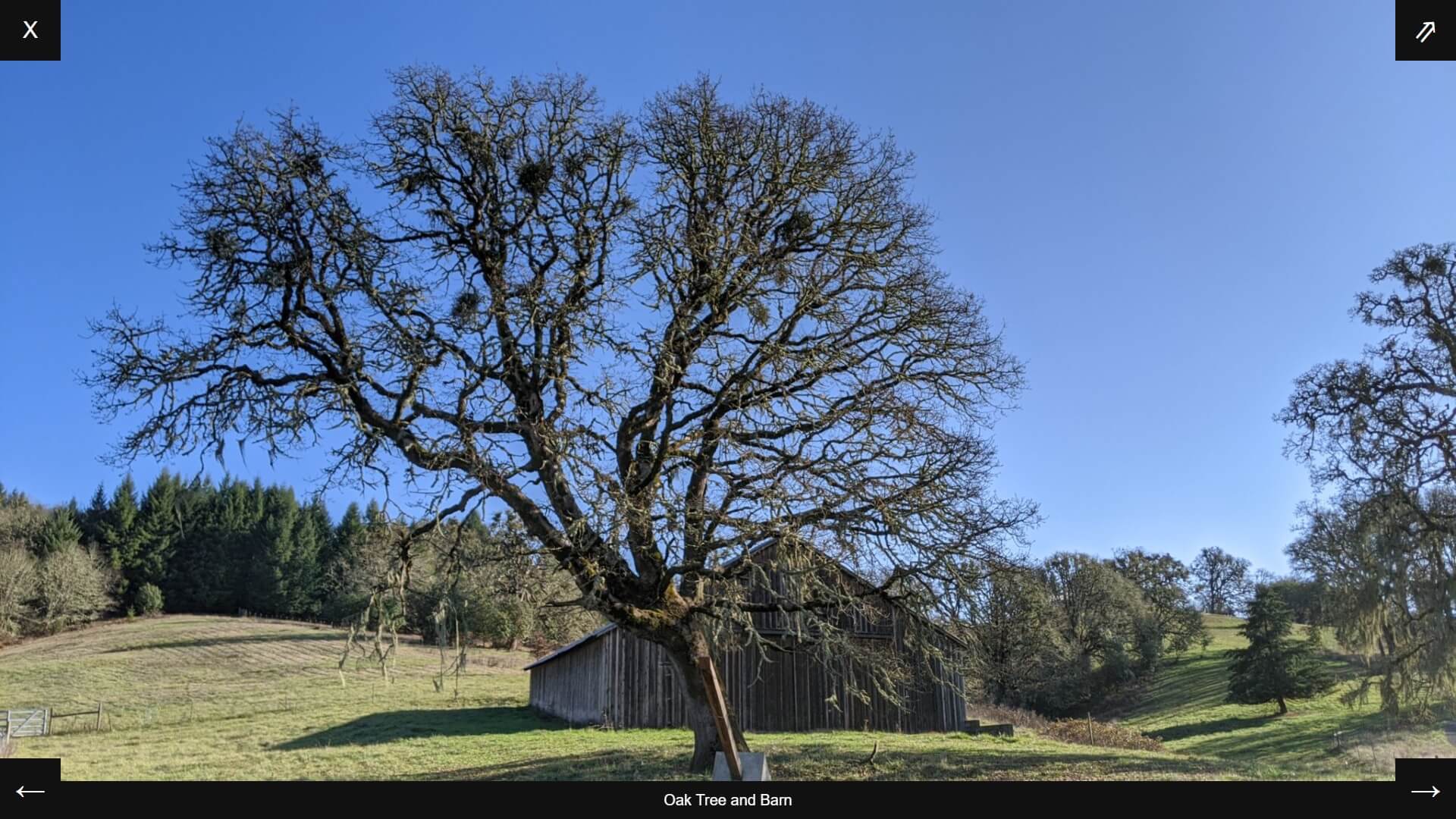
Full-screen slideshow mode on a large screen.
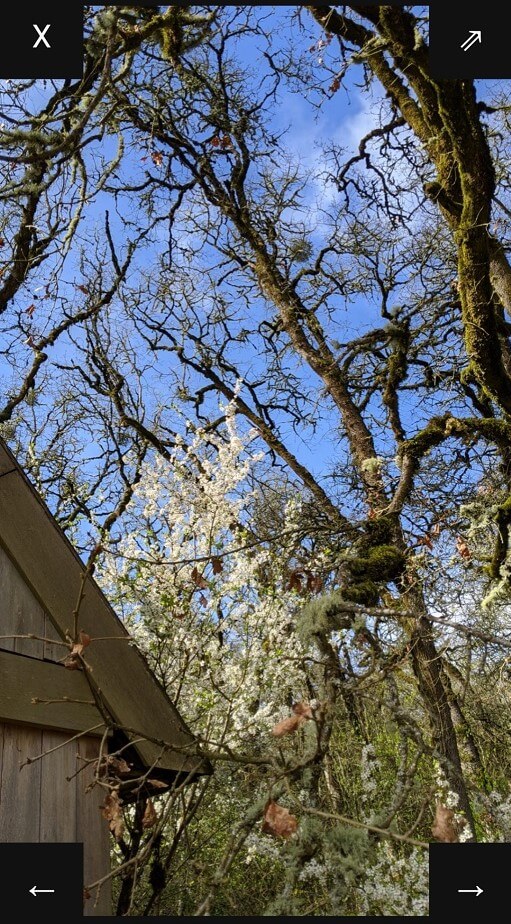
Full-screen slideshow mode on a small screen.
FAQ
Q. Where’s the settings page?
A. This plugin does not have or need any settings. Slideshows will automatically work on any single post or page view with at least three images. Click on an image to open the slideshow.
Q. How Does it Work?
A. Full Screen Galleries is a frontend-based JavaScript application. It searches through your post content for images and automatically creates a gallery slideshow if there are at least three images in the content. It only runs on single post and page views (it does not run on home pages, archives, etc.).
This app is optimized for images generated through WordPress galleries, but will also attempt to include other content images within the slideshow. Both classic editor and block editor galleries are supported. Full Screen Galleries will work on old and new post content without adjustments to your content.
Q. Hide Specific Images from the Slideshow
A. All images within the post content are included in the slideshow by default. But there are some cases where certain images shouldn’t be included. For example, there may be a standalone image outside of a larger gallery, or an image with an external link that should work on click. Add fsg-hidden to the “Additional CSS Class(es)” option under the advanced settings for the image block to exclude a specific image from the slideshow.
Q. Image Quality and Load Time
A. Full Screen Galleries takes a “just ahead of time” approach to loading information to balance speed with user experience. Minimal data is added to single page views initially to allow a perceptibly-instant full-screen opening when a user first clicks on an image. Once the slideshow is opened, HTML markup and image files are loaded one-ahead-of-time to anticipate linear navigation.
Additional image data is loaded via Ajax (asynchonous requests to the server) as a progressive enhancement. Once this secondary load is completed, optimized (larger) images will be available, and full-image links will optimize to link to the original image file for additional (browser-UI) zooming. Except on mobile devices, this is the true original file upload, not the scaled down “full” size that WordPress uses for all other cases.
The plugin strives to balance load time with image quality. It relies on the existing image sizes defined on your site. You could add additional sizes optimized to specific screen sizes if you find that images are blurry or take too long to load. You could also try the Regenerate Thumbnails plugin to ensure that all of your images are available in all of the default sizes.
Q. Accessibility Approach
A. Full Screen Galleries attempts to address the following input modes: touch, mouse/pointer, and keyboard. Basic slideshow naviagtion is possible with swipe left/right naviation for touch, keyboard arrow and escape navigation, and button navigation for all input modes. The slideshow is designed to work on any screen size. Please report any accessibility issues on the plugin support forums.
Q. Custom Styling
A. The default styling features a generic dark background with light text and icons. There is a yellow accent color on hover/focus. You can customize the design with Additional CSS in the customizer. For example, to change the yellow color, you could do something like this:
`#fsg-container figcaption a {
color: #0cf;
}
Q. fsg-navigation > button:focus {
A. color: #0cf;
box-shadow: 0 0 0 3px #0cf inset;
}
`
Q. Light Mode
A. To change the default dark mode to light mode, see the Custom Styling instructions above, and try adding Additional CSS in the customizer along the lines of:
`
Q. fsg-container, #fsg-container figcaption, #fsg-navigation > a, #fsg-navigation > button {
A. background: #eee;
color: #000;
}
Q. fsg-progress-slider {
A. background: #000;
}
`
Q. Hide Full Image Link
A. In some situations, it may be desirable to hide the link to the full image size. You can add the following Additional CSS in the customizer to do so:
`
Q. fsg-navigation #fsg-open-full {
A. display: none;
}
`
Q. Theme Support
A. Full Screen Galleries is designed to work with any theme out-of-the box. Themes can add additional support with custom styling. Themes can also include a button to launch Full Screen Galleries with the following template tag:
if ( function_exists( 'full_screen_gallery_launch_button' ) ) {
    full_screen_gallery_launch_button();
}
Changelog
1.4 – 7/18/2026
- Strengthen protections against bot-based data collection.
- Update FAQ with light mode option.
- Miscellaneous security improvements.
1.3 – 7/7/2022
- Add fallback handling to detect image block IDs outside of gallery containers in WP 5.8+ for improved compatibility.
1.2 – 4/18/2021
- Improve theme style compatibility by relocating the slideshow DOM to the end of .
- Various bugfixes in slideshow JavaScript.
- Add a mechanism to exclude images from the full-screen slideshow.
1.1 – 3/31/2021
- Add a scroll progress indicator to the slideshow.
- Hide full-size-image link if the link could not be found.
- Added logic to improve the likelihood that additional information can be successfully loaded from Ajax.
1.0 – 3/14/2021
- Initial public release on WordPress.org.
0.5 – 3/7/2021
- Beta testing release.